
Professional Text Decorator & Fancy Font Generator: The Ultimate Guide
In the modern digital landscape, standing out is no longer an option—it’s a necessity. Whether you are a professional influencer, a competitive gamer, or a creative designer, the way you present your name and brand matters. At Mkoky Magazine, we bring you the most advanced Professional Text Decorator, a tool designed to transform ordinary characters into extraordinary works of digital art.
What is a Text Decorator?
A Text Decorator (also known as a Fancy Font Generator) is a specialized tool that utilizes Unicode characters to simulate different artistic styles. Unlike standard system fonts, these characters are recognized globally across all platforms—from Instagram and Twitter to WhatsApp and Discord—without requiring the receiver to install any special fonts.
The Power of Unicode Symbols
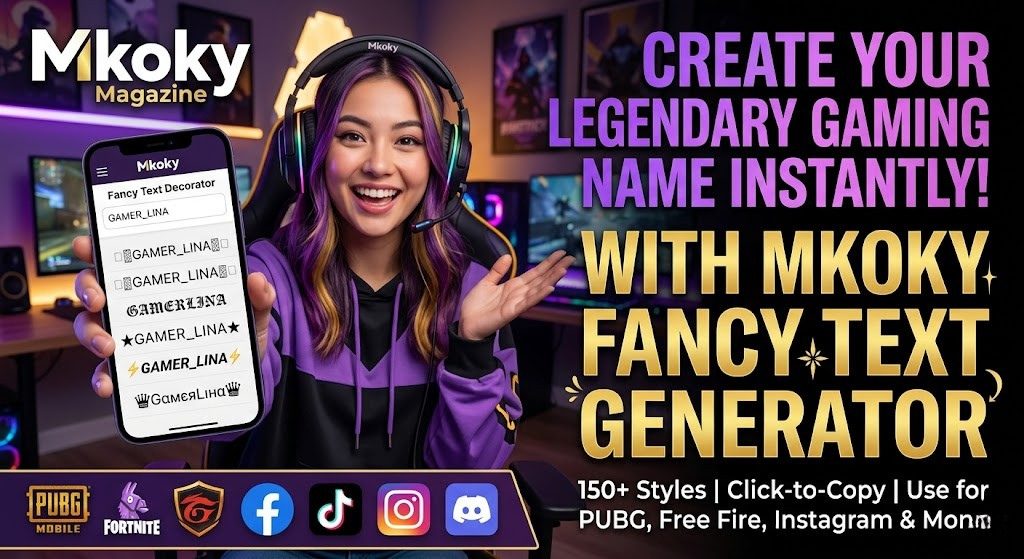
Standard text is limited by the ASCII character set. However, Unicode contains thousands of unique symbols, including mathematical alphanumeric symbols, phonetic alphabets, and decorative icons. Our tool maps your standard typing to these exotic symbols, creating styles like:
𝔊𝔬𝔱𝔦𝔠 & 𝔉𝔯𝔞𝔱𝔲𝔯 (Old World Elegance)
𝒮𝒸𝓇𝒾𝓅𝓉 & 𝒞𝓊𝓇𝓈𝒾𝓋𝑒 (Sophisticated Aesthetics)
𝔻𝕠𝕦𝕓𝕝𝕖-𝕊𝕥𝕣𝕦𝕔𝕜 (Modern Minimalist)
🅰🅽🅳 🅼🅾🆁🅴! (Bold Visual Impact)
Why Use the Mkoky Text Decorator?
There are thousands of “fancy font” sites online, but most are cluttered with intrusive ads and outdated styles. Mkoky’s Fancy Font Generator was built by web developers for the modern creative.
1. Professional Aesthetics
We’ve curated over 50 of the most popular and professional styles. Instead of cluttered, unreadable “glitch” text, we focus on styles that improve your brand’s visual appeal while maintaining readability.
2. One-Click Copy & Paste
Efficiency is key. Our tool features a built-in “Click-to-Copy” mechanism. Simply type your name once, browse the variations, and click your favorite. The stylized text is instantly added to your clipboard, ready to be pasted into your social media bio or gaming profile.
3. Global Compatibility
Because our tool uses standard Unicode, your decorated text will appear correctly on:
Social Media: Instagram, Facebook, TikTok, and Twitter.
Messaging Apps: WhatsApp, Telegram, and Signal.
Gaming Platforms: PUBG, Free Fire, and Discord.
How to Decorate Your Text Like a Pro
Using our tool is simple, but here are some professional tips for better results:
Start with the Core: Type your desired name or phrase in the input box.
Browse the Styles: Our grid generates over 50 unique variations. Look for styles that match your profile’s “vibe.” For example, Gothic works great for dark-themed gaming profiles, while Script is perfect for wellness and beauty influencers.
Add Decorative Wrappers: Many of our styles include “Deco” elements—symbols like crowns (♔), stars (★), and lightning bolts (⚡). These add a layer of hierarchy to your name.
Test the Look: Paste the text into your bio and see how it fits. Since our fonts are Unicode-based, they don’t count extra toward character limits on platforms like Instagram.
Frequently Asked Questions (FAQs)
1. Are these actual fonts?
Technically, no. They are Unicode Symbols that look like letters. This is why they can be pasted anywhere without the other person needing the font installed.
2. Is it safe to use decorated text in my Instagram Bio?
Absolutely. Millions of users use decorated text to make their bios more engaging. However, for accessibility reasons, we recommend keeping the most important information (like your contact email) in standard text so that screen readers can easily process it.
3. Why do some characters look like squares?
This rarely happens with our tool because we use widely supported Unicode blocks. However, if you see a square, it means the device or browser you are using is very old and doesn’t support the latest Unicode standards.
4. Can I use these for my PUBG or Free Fire name?
Yes! Our tool is highly popular among gamers for creating unique “IGNs” (In-Game Names).
Final Thoughts: Elevate Your Digital Identity
Your digital presence starts with how you present your name. With the Mkoky Professional Text Decorator, you have the power to create a visual identity that is as unique as you are. Stop settling for plain text—explore the world of fancy fonts and start standing out today.
Ready to transform your name? Type in the box above and let the magic happen!