
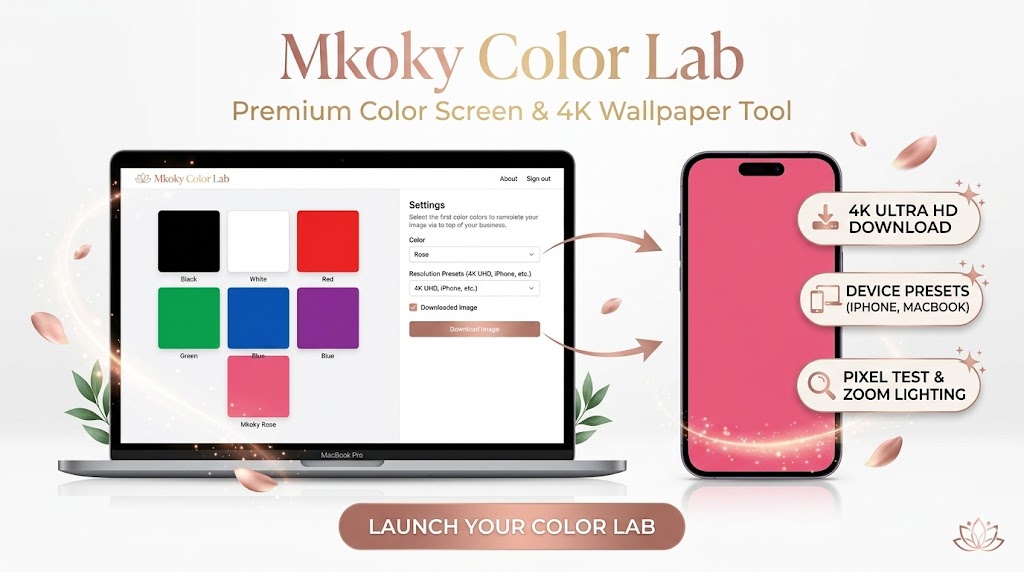
Need a full-screen black, white, or colored background? Use our professional Color Screen Tool for display testing, Zoom lighting, or focused work. Fast, free, and mobile-friendly.
Mkoky Color Lab
Premium Display Tools & 4K Wallpaper Generator
Mkoky Color Lab | The Ultimate 4K Color Screen Generator & Downloader
Color Screen Tool Precision meets simplicity with the Mkoky Color Lab. Whether you are a professional photographer needing a clean backdrop, a tech enthusiast testing for monitor defects, or a digital nomad looking for the perfect Zoom light, our tool provides a premium, full-screen experience tailored to your exact device.
Why Choose Mkoky Color Lab?
Unlike standard color tools, our lab is built for the high-definition era. We understand that a Black Screen is used for more than just aesthetics—it’s a diagnostic tool. Our updated platform now allows you to:
Download 4K Backgrounds: Generate solid color wallpapers in Ultra HD (3840×2160) or any custom resolution.
Device-Specific Presets: Instantly select dimensions for the latest iPhone models, MacBooks, and standard Desktop monitors.
Dead Pixel Testing: Use our pure Red, Green, and Blue screens to identify and fix display irregularities with professional accuracy.
How to Generate and Download Your Background
Creating your custom color environment is now a 3-step process:
Pick Your Tone | Choose from our curated palette or use the pure Black and White options for technical testing.
Select Your Specs | Use the dropdown menu to choose your device. Whether you need a wallpaper for an iPhone 14 Pro or a 4K Monitor, we have the presets ready.
Display or Save | Click “Go Full Screen” to use your display as a light source, or “Download Image” to save the high-resolution PNG for offline use.
The Versatility of the Color Screen Tool
Our users utilize the White Screen feature as a soft “beauty light” for evening video calls, providing a natural glow without the harshness of a desk lamp. Meanwhile, the Black Screen serves as the perfect “rest mode” for OLED displays, preventing screen burn-in while maintaining a sleek, minimalist aesthetic.
Professional FAQ | Advanced Display Utility
What resolution should I use for my phone? For modern smartphones, we recommend our iPhone Pro Max preset (1284×2778) as it covers most high-end displays with crystal-clear density.
Is the downloaded image compressed? No. Every image generated by the Mkoky Color Lab is a lossless PNG, ensuring 100% color accuracy and no artifacts, making it safe for professional design use.
Does this tool support 8K resolution? Yes. Simply select “Custom Size” and enter 7680 x 4320. Our engine will render the solid color perfectly to those dimensions.